ChatOn - AI Chat Bot Assistant
- 4.5
- Rating
- 10.00M
- Installs
- Free
- Price

 Analysis by App-foxy
I spent time with ChatOn as a general-purpose productivity assistant, using it less like a novelty chatbot and more like a tool I might keep beside my notes, messages, and daily planning. That distinction matters. The app is not simply about asking random questions; its appeal is having several AI-based tasks gathered in one mobile workspace. I found it most useful when I already knew what I wanted to produce but needed help shaping the first draft, changing the tone, or turning a rough idea into something easier to use.
ChatOn is developed by AIBY Inc. and is available as a free app for Android devices running Android 8.0 or later. It has a Teen content rating, a 4.5 average from around 416 thousand ratings, and more than 10 million installs. Those figures suggest that it has reached well beyond the early-adopter crowd, but popularity alone does not make an assistant a good fit. The better question is whether its collection of writing and conversation tools matches the way you actually work.
What I looked for before making a choice
When I compare AI productivity apps, I start with four practical questions. Can I explain a task without fighting the interface? Does the response save me meaningful time instead of creating more editing work? Can I keep a conversation focused long enough to complete a real task? And does the free entry point let me understand the app before asking me to pay?
You May Also Like

 Blood Strike: 2.5 Anniversary
Blood Strike’s Loadouts Turn Every Drop Into a Tactical Gamble
A close look at Blood Strike’s custom loadouts: how fast access to signature weapons reshapes its battle royale rhythm, rewards preparation, and narrows the gap between fights.

 Pandora - Music & Podcasts
Pandora’s Music Is Easy to Start, but Harder to Recover
Pandora’s strength is its low-effort path from a seed to a station. Its weak spot is how much confidence it asks you to place in connection, setup, and quiet recovery.

 8 Ball Pool
 Is Built on Rivalries, Rematches, and Routine
A close look at the rivalries, rematches, shared routines, and unanswered safety questions that turn a quick pool match into a persistent mobile community.

 Samsung Music
’s Quiet Strength Is Playing What You Already Own
Its reach comes less from spectacle than from dependable access to a personal library. That simplicity is both the app’s strongest retention engine and its ceiling.

 AccuWeather: Weather Radar
AccuWeather Review: A Quick, Clear Forecast for Everyday Decisions
For everyday plans, the best forecast is the one you can understand quickly. AccuWeather makes rain timing, radar, and local conditions easy to act on, with a few trade-offs.

 Hill Climb Racing
Why Hill Climb Racing Still Turns Crashes Into One More Run
A tiny car, a bumpy hill and one more upgrade: Hill Climb Racing keeps resurfacing because its simple chaos makes every near-miss feel personal.
More From Our News Desk



ChatOn performs well on the first question. The basic idea is easy to grasp: open a chat, describe what you need, and refine the result through follow-up requests. That feels more approachable than opening a collection of separate specialist tools. I could ask for a draft, then request a shorter version, a friendlier tone, or a clearer structure without starting over. This conversational workflow is the app’s strongest everyday advantage.
The second question is more nuanced. AI-generated text is rarely finished copy in my experience. ChatOn can help me get past a blank page, but I still need to check facts, remove awkward wording, and make the result sound like me. The time saving is greatest for low-risk material such as brainstorming, informal messages, outlines, captions, and first drafts. It is much less convincing as a substitute for careful research or personal judgement.
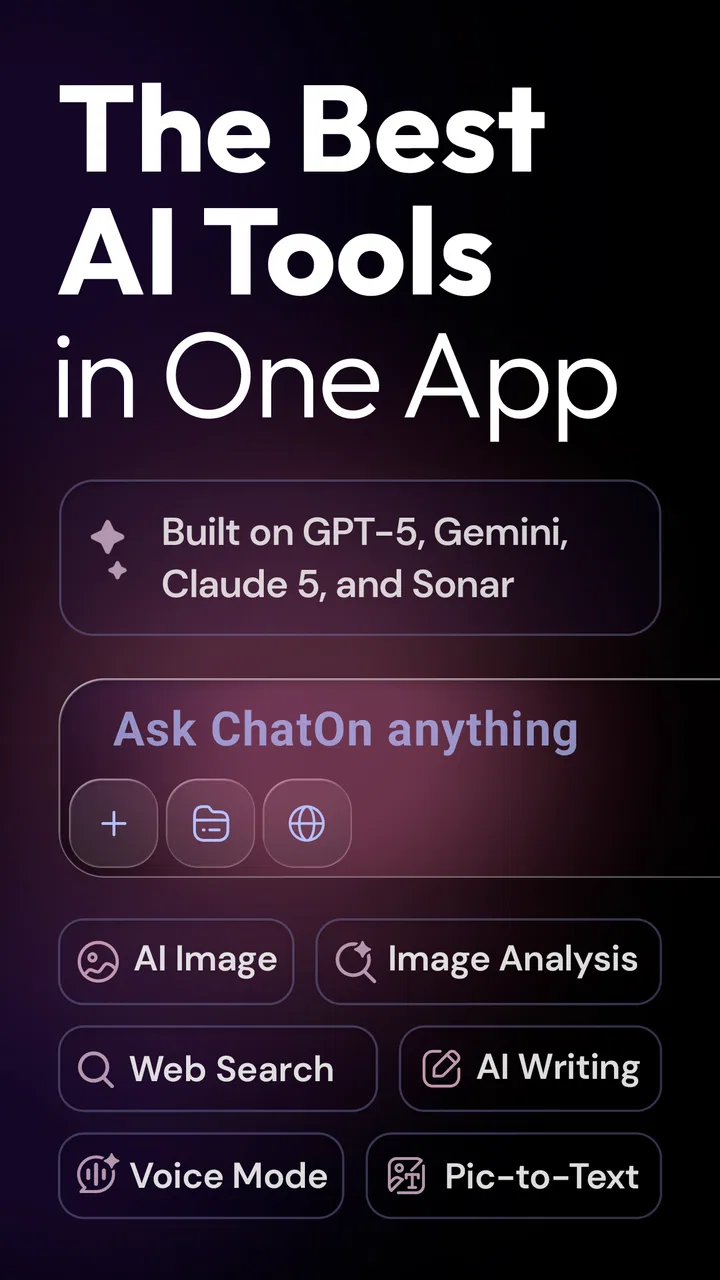
The app’s store summary presents it as a collection of AI tools inside one chatbot assistant, and that is a fair way to understand its role. I would not choose it solely because I expect every answer to be perfect. I would choose it because I want one place to experiment with wording, ask follow-up questions, and move from a vague thought to something workable.
A realistic morning workflow
One situation where I found the approach useful was preparing for a busy day. I could type a rough list of errands and responsibilities, ask ChatOn to organize it into a sensible order, and then request a shorter version that would be easy to scan on a phone. After that, I could turn one item into a polite message or ask for several ways to phrase a reminder. The value was not that the app “managed” my day automatically; the value was that it reduced the small amount of friction between thinking and writing.
There is a useful trick here: provide the context and the desired format in the first message. Instead of asking for “help with an email,” I would explain who the recipient is, what outcome I want, how formal the message should be, and whether I want a brief or detailed version. This usually produces a more usable starting point and avoids wasting turns correcting an overly generic answer.
Where the all-in-one approach wins
ChatOn makes the most sense for people who move between different kinds of small tasks. A student might use it to turn class notes into questions for revision, then ask for a simpler explanation of a difficult paragraph. Someone working in an office might use it to outline a presentation, rewrite a message, and generate alternative headings without switching between unrelated apps. A freelancer could use the same conversation to explore a client-friendly explanation and then tighten the wording.
The advantage is continuity. I do not have to decide which specialized tool fits before I have fully understood the task. I can begin with a rough request and refine it in the same chat. That is especially helpful when the task changes shape halfway through. A brainstorming session may become an outline, then a short announcement, then a checklist. A single assistant handles that progression more naturally than a set of narrowly separated utilities.
Another strength is the low barrier to experimentation. I can ask for three different tones, compare concise and detailed versions, or request an explanation aimed at a beginner. This is a better use of AI than accepting the first answer blindly. The app becomes a drafting partner: I bring the purpose and judgement, while it supplies variations that help me decide what I actually want to say.
The best results come when I treat ChatOn as an editor and thinking partner, not as an unquestionable authority. That mindset improves both the quality of the output and the safety of the workflow. For factual topics, I verify important claims elsewhere. For personal or professional writing, I read the final version aloud and replace phrases that do not sound natural.
Three less obvious ways to get more from it
First, I use staged prompts instead of requesting a perfect answer in one shot. I begin by asking for possible approaches, choose one direction, and only then ask for the finished text. This helps when I am unsure about the structure. It also makes it easier to notice when the assistant has misunderstood the goal before too much text has been produced.
Second, I ask for a critique before asking for a rewrite. If I have written a message myself, I can request an assessment of clarity, tone, and missing information, then decide which suggestions to apply. That preserves my voice better than asking the app to replace the entire message. For sensitive communication, this is a particularly useful compromise between doing everything manually and handing over too much control.
Third, I separate creative work from factual work. I am comfortable using the app to generate names, outlines, examples, or alternative phrasing. I become much more cautious when the answer involves current events, technical instructions, health, money, or anything where a confident mistake could cause harm. In those cases, ChatOn can help me formulate questions or summarize material I already trust, but I would not use it as my only source.
How it compares with other choices
I find the choice between ChatOn and other productivity apps comes down to whether I need flexibility or depth. A single conversational workspace is handy when a task shifts from brainstorming to drafting, while dedicated tools can offer more control for long documents, source checking, or a narrowly defined job. The next section looks at what that trade-off means in practice, so you can decide where switching tools is worthwhile.
When a dedicated writing tool is better
A specialized writing application may be a better choice if your main need is long-form editing rather than conversation. Dedicated editors often make it easier to manage a document, compare revisions, maintain a consistent style, and work through several pages at once. ChatOn is more comfortable for iterative requests and short-to-medium pieces. If you are editing a book chapter, maintaining a large knowledge base, or collaborating inside a document, a conventional writing environment may remain more practical.
There is also a difference between generating text and improving text in place. ChatOn can help rewrite content when I paste it into the conversation, but people who need detailed control over every sentence may prefer an editor with visible revisions and document-level tools. I would choose ChatOn for speed and exploration, not for the complete workflow of a serious publishing project.
When a search-first assistant is better
For questions that depend on current information, a search-first service may be the safer first stop because it is designed around finding and checking sources. ChatOn is more useful when the material is already in my head or in notes and I need help organizing, explaining, or expressing it. That difference is easy to overlook because a fluent answer can sound authoritative even when it deserves verification.
My practical rule is simple: use ChatOn to transform information, and use a trusted source to establish information that matters. I might ask it to turn a confirmed set of notes into a study guide, but I would not rely on an unverified response for a deadline, legal decision, medical choice, or financial commitment.
When a specialist tool is worth the extra switch
Some people will be better served by a tool built around one specific purpose, such as task management, translation, coding, or image creation. A specialist usually offers deeper controls and a workflow designed around that single job. ChatOn’s trade-off is breadth. It is convenient when tasks change frequently, but it may feel less focused when you already know that one narrow function is all you need.
This is the central decision: do you value one flexible assistant or a collection of purpose-built tools? I prefer ChatOn when I want to explore an idea from several angles. I prefer a dedicated alternative when I need repeatable precision, structured records, or advanced controls for a particular professional task.
What switching really costs
Trying ChatOn is relatively easy because the app is free to download and use at its entry level. The more important cost is not installation; it is learning how to prompt it effectively and deciding which tasks deserve a second check. A few minutes spent developing reusable instructions can make the experience much smoother. For example, I keep a mental template that includes the audience, goal, tone, length, and format.
There is also a subscription decision to consider. In-app purchases range from $4.99 to $59.99 per item, so I would not pay immediately just because the app can produce impressive demonstrations. I would first test it on recurring tasks that genuinely take time. If it helps every week with messages, planning, study preparation, or content drafts, the paid options may be easier to justify. If I only use it for occasional curiosity, the free experience is likely the more sensible stopping point.
The current version is 1.90.708-793, which is useful to check when troubleshooting or comparing the experience on different devices. I would also keep expectations realistic about mobile work. A phone is excellent for quick prompts and revisions, but long sessions can become tiring, especially when I need to compare several versions or paste large amounts of material.
Who should use it, and who should skip it
I recommend ChatOn to people who want an approachable AI assistant for writing, conversation, brainstorming, explanations, and everyday organization. It is particularly suitable if you often begin with an incomplete idea and need help turning it into a clearer next step. Students, casual creators, busy professionals, and anyone who writes messages regularly can find practical value without building a complicated workflow.
I would be more cautious about recommending it to someone who wants a fully structured project-management system, a source-heavy research environment, or advanced document editing. It is also not the right choice for anyone who expects generated answers to be automatically accurate. The app can make work feel easier, but it does not remove the need to review what it produces.
Privacy and sensitivity should guide usage as well. I avoid putting confidential business details, private identifiers, or information about other people into any conversational AI unless I have a clear reason and understand the relevant settings and policies. For ordinary drafting, I can remove names and replace sensitive details with placeholders. That small habit makes the tool safer without reducing much of its usefulness.
My recommendation after using it
ChatOn earns a place on my phone because it makes several common AI tasks feel connected rather than scattered. I like being able to start with a question, move into brainstorming, and finish with a polished draft in one conversation. The free starting point makes it easy to judge whether that flexibility fits my routine, while the paid range means I would evaluate my actual usage before committing.
I would not describe it as a replacement for search, a document editor, or a specialist productivity system. Its real strength is the middle ground: a flexible assistant for the messy early and middle stages of everyday work. When I need a first draft, a clearer explanation, several possible tones, or a way to organize thoughts, it can save time. When accuracy, traceable sources, or detailed document control matter most, I switch to a more suitable category of tool.
My clear recommendation is to try ChatOn if you want one mobile AI workspace for varied, low-risk tasks and you are willing to review the results. Start with a real recurring problem rather than a novelty prompt, use specific instructions, and test whether the app reduces effort over several days. If it becomes a dependable drafting companion, it is worth considering further. If you mainly need deep editing, current research, or one highly specialized function, choose the focused alternative instead.
FAQs for ChatOn - AI Chat Bot Assistant
01What is ChatOn - AI Chat Bot Assistant used for?
ChatOn - AI Chat Bot Assistant is designed to provide users with an interactive and intelligent chat experience. It leverages AI technology to assist with a variety of tasks, including answering questions, providing recommendations, and helping with scheduling. It’s a versatile tool for anyone looking to streamline their digital communication.
02Is ChatOn - AI Chat Bot Assistant free to use?
ChatOn offers a free version with basic features, allowing users to experience its core functionalities. However, there are premium options available through in-app purchases, which unlock advanced features, offering a more robust experience. It’s recommended to review the pricing details within the app before committing.
03How secure is my data with ChatOn - AI Chat Bot Assistant?
ChatOn prioritizes user privacy and implements industry-standard encryption to protect your data. The app ensures that all conversations and personal information are securely stored. Users should review the privacy policy for detailed information about data handling and security measures.
04Can ChatOn integrate with other apps on my device?
Yes, ChatOn is designed to integrate seamlessly with various apps on your device. It can access calendars, contacts, and other system apps to enhance its functionality. This integration allows for more personalized assistance and improved task automation, making it a valuable addition to your digital toolkit.
05Does ChatOn support multiple languages?
ChatOn supports a wide range of languages, making it accessible to a global audience. Users can switch between languages easily within the app settings. This feature ensures that language barriers do not hinder the app’s usability, allowing for a more inclusive user experience.
Pros
- Intuitive interface for easy navigation.
- Quick responses enhance user experience.
- Supports multiple languages seamlessly.
- Customizable settings for user preferences.
- Minimal data usage
- efficient performance.
Cons
- Limited offline functionality available.
- Occasional repetitive responses.
- Requires stable internet for optimal use.
- Some advanced features need subscription.
- May struggle with complex queries.

ChatOn - AI Chat Bot Assistant
Gallery